 FreeGame

Passenger Airplane: Flight 3D
Passenger Airplane: Flight 3DSimilar games



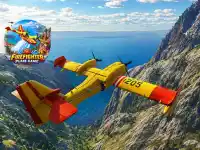







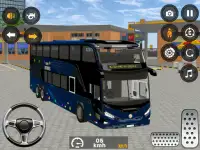
Passenger Airplane: Flight 3D
Passenger Airplane: Flight 3D puts you in the cockpit with realistic joystick controls and two modes: World Map and Flight Training.
Passenger Airplane: Flight 3D puts you in the cockpit with realistic joystick controls and two modes: World Map and Flight Training. Pick a route, switch cameras, and fly like a pro.
How To Play Passenger Airplane: Flight 3D
Use the joystick or arrow keys to steer, and adjust the throttle slider for speed control.
Controls and Features
Controls include a default joystick and arrow keys selectable from Settings, plus a throttle slider. Features cover six camera modes, three weather conditions, speed settings, and a fuel-free flight system.
Tips
Switch camera modes to check your wing position when changing weather conditions. Adjust speed with the throttle slider before takeoff to keep the climb steady.
Passenger Airplane: Flight 3D FAQs.
Q: What controls are available? A: A default joystick, arrow keys from Settings, and a throttle slider.
Q: What is the objective? A: Fly real passenger routes or practice pilot skills in training mode.
Q: How many camera modes are there? A: Six camera modes, including cockpit, external, and wing views.
Q: What is the main mechanic? A: Take off, switch cameras, change weather, and fly routes.
About this game
- Supported devices
- Desktop, phone and tablet
- Genre
- Adventure
- Release date
- 29 September 2026
- Latest update
- 29 September 2026
- Rating
- 10.0 (1 votes)