 FreeGame
Educational Games
The Educational tag on freegame.org.es groups browser titles that ask players to solve problems, practice skills, or explore ideas while playing, and these learning games cover puzzles, quizzes, sorting tasks, and simple logic challenges that reward careful thinking over quick reflexes. Players browsing this tag can expect short rounds, clear goals, and readable instructions that let them test knowledge in subjects like math, words, science, or everyday planning, and many tagged titles can work on desktop or mobile but controls vary by title. This collection suits people who want a quick mental workout between tasks or a calm way to practice a skill without installing anything on their device. Because each title runs in the browser, visitors can compare several related browser titles in one session and pick the pace that fits their attention span.

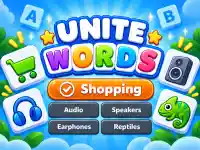





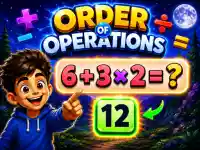














Browsing Educational
Open the Educational tag page, scan the list of tagged titles, read each description to see what skill or subject it covers, then launch a browser title and play by solving, sorting, matching, or answering to see how quickly you can reach the goal in these educational game rounds.
Tag Experience
Games under this tag usually ask players to solve puzzles, sort items, match pairs, answer questions, or plan a short sequence of moves, and these quiz games reward careful reading, pattern spotting, and steady reasoning rather than fast reflexes or long sessions. Typical objectives include reaching a target score, finishing a set of questions, clearing a board, or completing a task within a time limit, and the flow often moves from simple prompts to harder ones so players can judge their own progress and decide whether to keep going. This tag helps players browse related titles because each entry lists a clear subject or skill focus, which makes it easier to pick a title that matches the topic they want to practice and the time they have available.
Practical Advice
Before starting, read the short description and any on-screen instructions to confirm what skill the title targets, then choose a round that fits the time you have, since these brain training games often run in short bursts that fit a break. If a title feels too fast, pause and reread the prompt, because careful reading usually improves results more than rushing through questions or puzzles. Try a few different titles in the tag to compare how they present tasks, since some use drag and drop while others rely on typed answers or timed selections. Keep sessions short and revisit a title later to see whether your score or speed improves, which makes the tag useful for steady practice without needing an account.
Educational Tag Facts
Q: What controls do games under this tag use? A: Controls vary by title.
Q: What is the usual objective in these games? A: Players solve tasks or answer prompts to reach a score or finish a set.
Q: What feature do many tagged titles share? A: Short rounds with clear instructions that let players start quickly.
Q: What is the main mechanic of this tag? A: Solving puzzles, sorting items, or answering questions to progress.